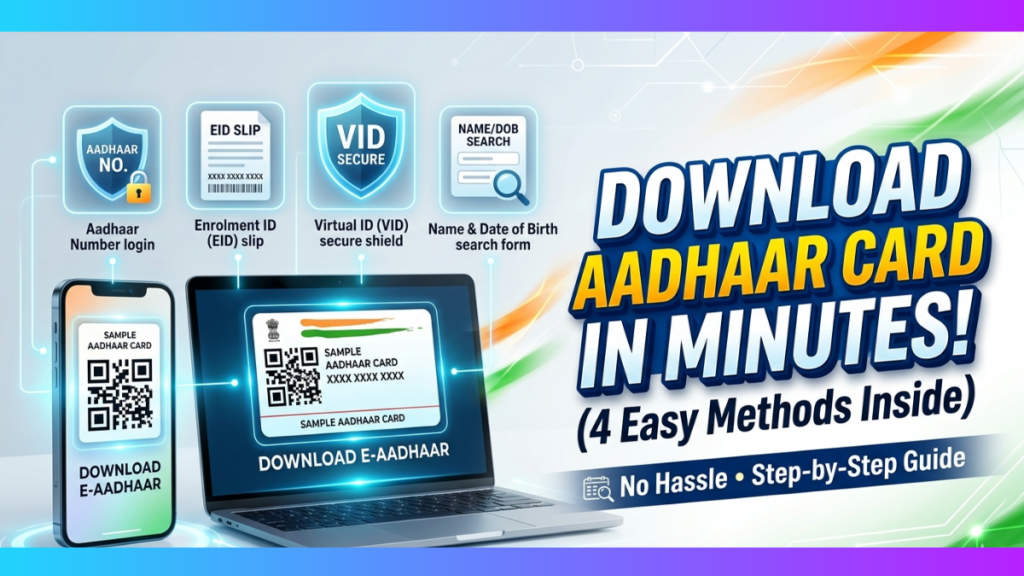
Ways to download Aadhar card in UIDAI: Downloading your Aadhaar card online is quick and convenient. You can access it using various identifiers, like Aadhaar Number, Enrollment ID (EID), Virtual ID (VID), or even your Name and Date of Birth. This flexibility ensures easy retrieval of your Aadhaar for verification or official purposes anytime, anywhere. Here’s how to do it:
Download Aadhaar Card Using Aadhaar Number
Step 1: Visit the UIDAI website and click on “My Aadhar”
2: Navigate to “My Aadhar” and click on “Download Aadhar” under the “Get Aadhar” section.
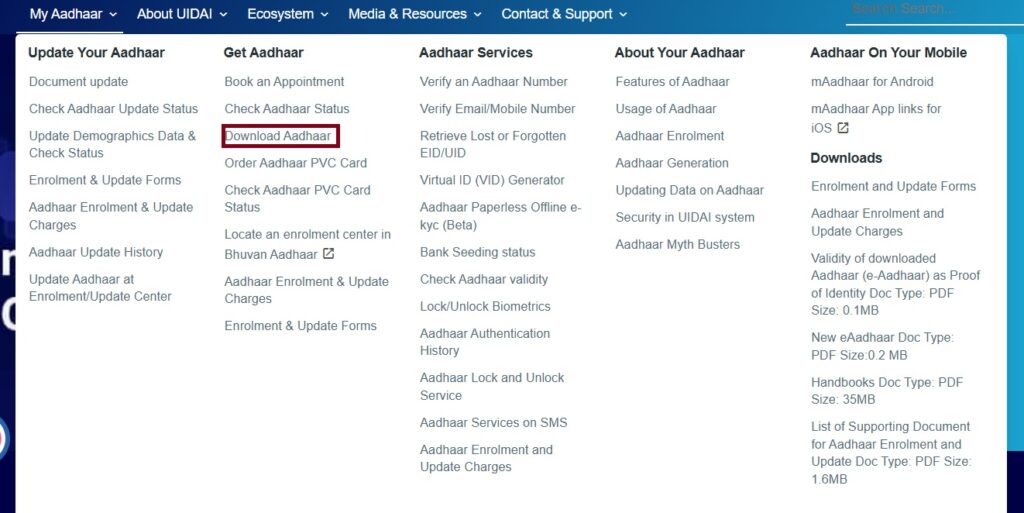
3: Select the option “Aadhaar Number”.
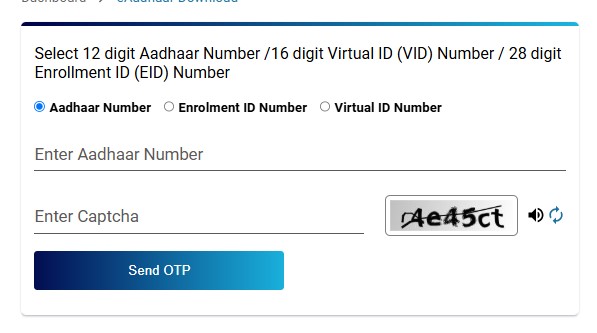
4: Enter your 12-digit Aadhaar Number, CAPTCHA, and click on Send OTP.
5: Enter the OTP received on your registered mobile number.
6: Select the Masked Aadhaar option to receive a masked version of the document. Click on “Verify & Download” to save the Aadhaar PDF file.
7: The downloaded e-Aadhaar protects the document with a password. The password is the combination of the first four letters of your name in capital letters and your birth year.
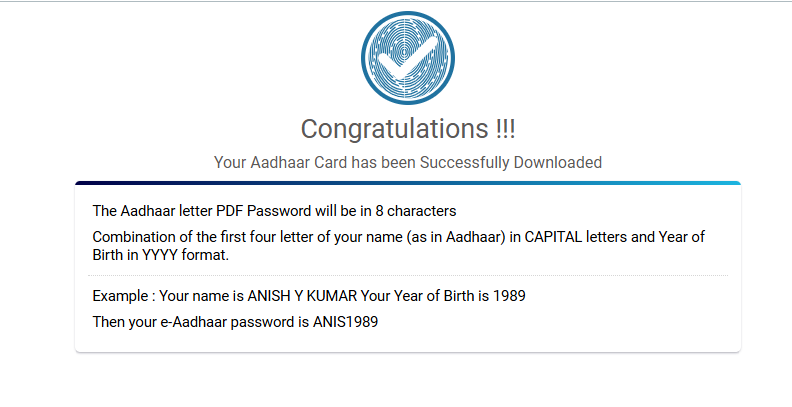
Masked Aadhar: A Masked Aadhaar hides the first eight digits of your Aadhaar number for privacy and shows only the last four digits.
Download Aadhaar Card Using Enrolment ID (EID)
1: Follow the same link to the e-Aadhaar download page.
2: Select the option “Enrolment ID Number (EID)”.
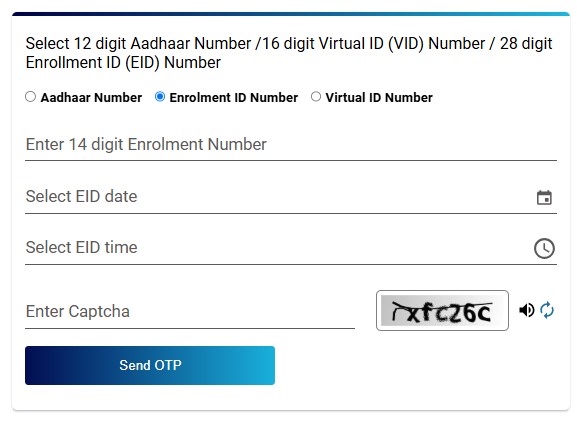
3: Enter your 14-digit EID and the 14-digit date-time stamp from your acknowledgment slip.
4: Solve the CAPTCHA and click on Send OTP.
5: Enter the OTP received on your registered mobile number.
6: To receive a masked version of the document, select the Masked Aadhaar option. Click on “Verify & Download” to save the Aadhaar PDF file.
7: The downloaded e-Aadhaar protects the document with a password. The password is the combination of the first four letters of your name in capital letters and your birth year.
Steps to Generate/Retrieve VID:
1: Go to https://uidai.gov.in and click on My Aadhaar > Aadhar Services > Virtual ID (VID) Generator.
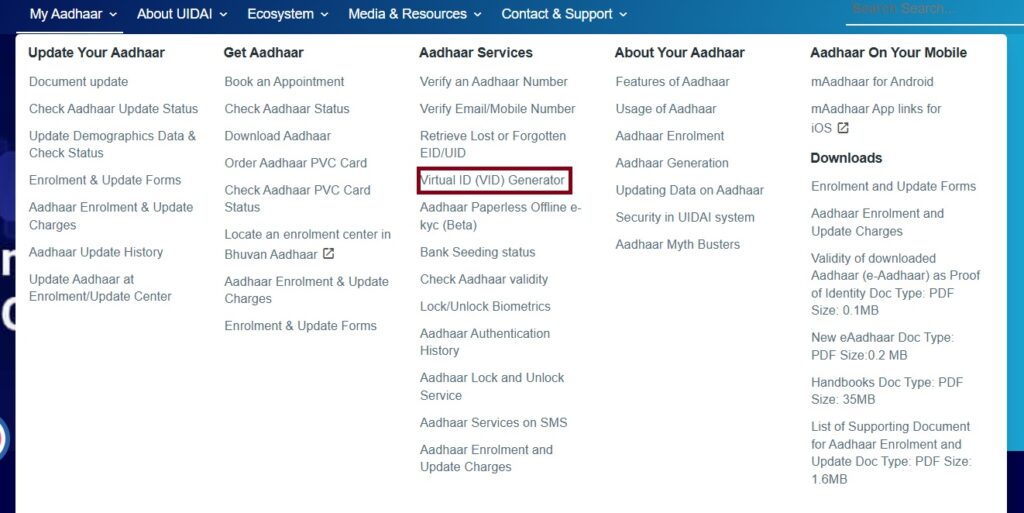
2: Choose an Option:
- Select Generate VID to create a new Virtual ID.
- Retrieve VID, to get the forgotten or existing VID.
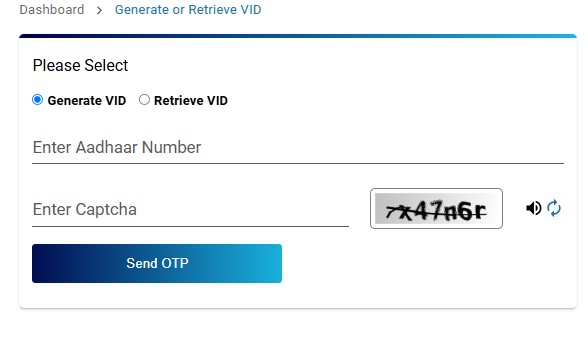
3: Enter your 12-digit Aadhaar Number and CAPTCHA code for verification.
4: Click on Send OTP to your registered mobile number.
5: Enter the OTP received and submit the request.
6: You will receive the VID (newly generated or existing) on your registered mobile number via SMS.
Download an Aadhaar Card Using a Virtual ID (VID)
1: On the e-Aadhaar download page, choose the “Virtual ID Number (VID)” option.
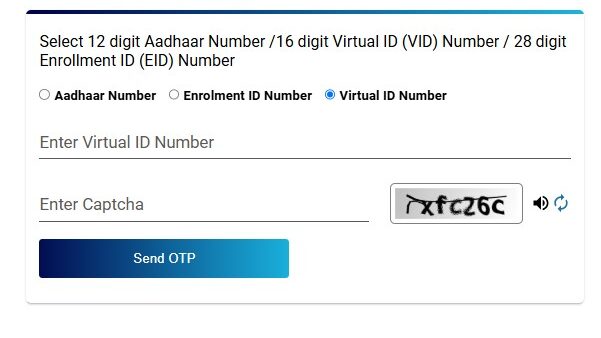
2: Enter your 16-digit Virtual ID (VID).
3: Solve the CAPTCHA and click on Send OTP and enter the OTP.
4: Select the Masked Aadhaar option to receive a masked version of the document. Click on “Verify & Download” to save the Aadhaar PDF file.
5: The downloaded e-Aadhaar protects the document with a password. The password is the combination of the first four letters of your name in capital letters and your birth year.
Download Aadhaar Card Using Name and Date of Birth
Step 1: Does not have an Aadhaar Number (UID) or EID then retrieve it by following the below steps
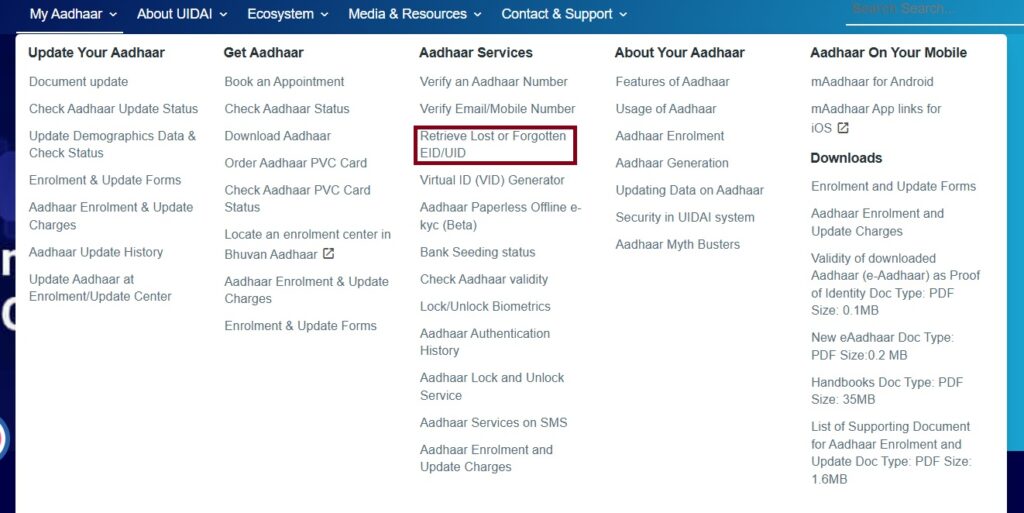
- Visit UIDAI’s Website and click on My Aadhaar > Aadhar Services >Retrieve a lost or forgotten UID/EID.
- Select Aadhaar Number (UID) or Enrolment ID (EID).
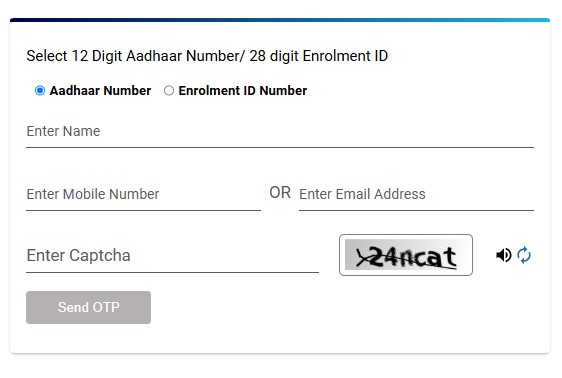
- Enter your Full Name, Date of Birth, and the registered mobile number or email.
- Solve the CAPTCHA and click Send OTP.
- Retrieve your Aadhaar Number or EID via SMS.
Step 2: Use the retrieved Aadhaar Number or EID to download the Aadhaar card using one of the methods above.
Important Notes:
- The Aadhaar that you download is password-protected. You usually create the password by using the first four letters of your name in CAPITALS followed by your birth year (YYYY).
- Ensure that your mobile number is registered with Aadhaar to receive the OTP.
Read more