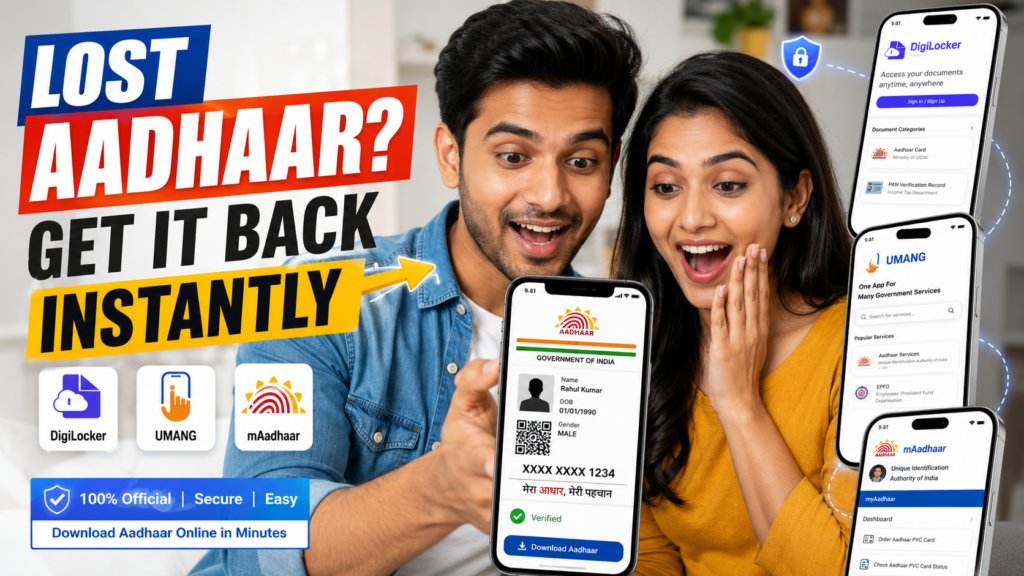
Your Aadhaar card is one of the most important identity documents in India. You need it for banking, income tax filing, passport applications, hotel check-ins, mobile SIM verification, and government schemes.
Carrying a physical Aadhaar card everywhere is not always practical. Many people lose it, damage it, or forget to carry it when needed. That is where digital Aadhaar services help.
The Government of India allows you to download Aadhaar online through three trusted platforms:
- UMANG app
- DigiLocker
- mAadhaar app
These platforms give you instant access to your Aadhaar PDF or digital copy anytime. The process is free, secure, and takes only a few minutes.
What Is e-Aadhaar?
e-Aadhaar is the password-protected electronic version of your Aadhaar card issued by the UIDAI. It is digitally signed and equally valid as the physical Aadhaar card.
You can use e-Aadhaar for:
- Airport identity checks
- Opening bank accounts
- PAN card linking
- Online KYC verification
- Government subsidy applications
- Mobile SIM activation
Example:
Suppose you travel from Chennai to Bengaluru and forget your Aadhaar card at home. Instead of panicking, you can download your e-Aadhaar instantly through DigiLocker or mAadhaar and use it for hotel check-in or identity verification.
Why People Prefer Digital Aadhaar in 2026
More than 1.3 billion Aadhaar numbers have been issued in India. Most banks, telecom operators, and government offices now accept digital Aadhaar copies for verification.
Key reasons people use digital Aadhaar:
- Instant access from mobile
- No risk of losing physical card
- Accepted for online verification
- Faster KYC process
- Useful during emergencies
- Safe cloud storage with DigiLocker
Benefits of Downloading Aadhaar via UMANG, DigiLocker, and mAadhaar
- Fast Access Anytime: You can access your Aadhaar 24/7 without visiting an Aadhaar center.
- Useful During Emergencies: If your wallet is lost, your digital Aadhaar still remains accessible.
- Accepted Across India: Digital Aadhaar is legally valid under the Information Technology Act.
- Secure and Encrypted: Government apps use OTP authentication and encryption for security.
- Easy KYC Verification: Most banks and fintech apps accept downloaded Aadhaar PDFs for eKYC.
- Paperless Process: No photocopies or physical storage needed.
Objectives of Digital Aadhaar Services
The Indian government introduced Aadhaar download services to:
- Promote paperless governance
- Reduce dependency on physical documents
- Improve digital accessibility
- Speed up identity verification
- Increase secure document sharing
- Support Digital India initiatives
Eligibility to Download Aadhaar Online
You can download Aadhaar online if:
- You have a valid Aadhaar number
- Your mobile number is linked with Aadhaar
- You can receive OTP on your registered number
You can also use:
- VID number
- Enrollment ID
- Face authentication in some cases
Documents Required
Usually, no additional documents are required.
You only need:
- Aadhaar number or VID
- Registered mobile number
- Internet connection
- Smartphone or computer
Below are the steps to download your Aadhaar using Umang, Digi Locker, or mAadhar:
Download Aadhar via Umang/ Digi Locker/ mAadhar
1. Using Umang App
UMANG is a government mobile application that provides access to multiple public services.
Steps to Download Aadhaar Through UMANG
- Visit the official Umang website or download the Umang app
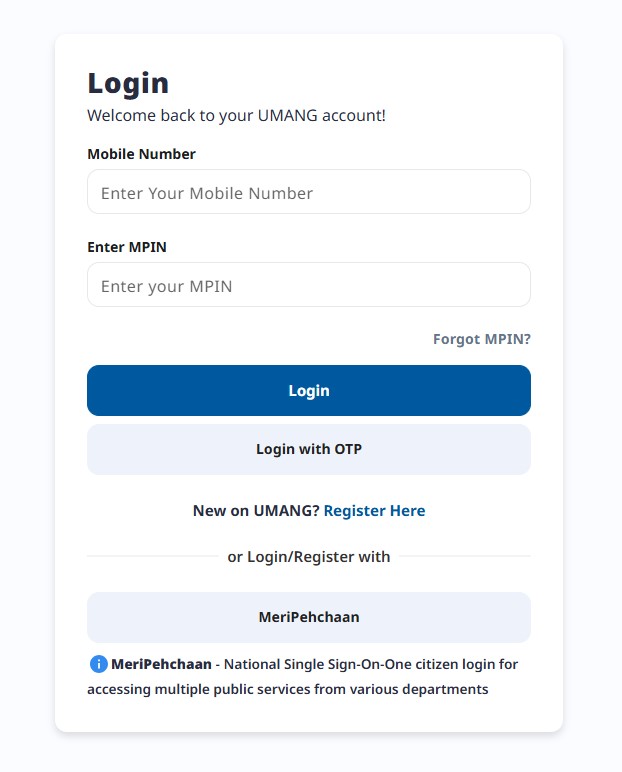
- Register and log in to your account in the Umang.
- Select the option “Aadhaar card” under “All Services”.
- Select “View Aadhar” from Digi Locker and log in.
- Click on “Download Aadhaar” and select the preferred method of verification such as OTP, etc.
- Enter the required details and download your Aadhaar card as PDF.
2. Using Digi Locker
DigiLocker is a secure cloud-based document wallet launched by the Government of India.
Why DigiLocker Is Popular
DigiLocker stores:
- Aadhaar
- Driving license
- PAN card
- Vehicle RC
- Academic certificates
Steps to Download Aadhaar via DigiLocker
- Download the Digi Locker app or visit the official Digi Locker Website.
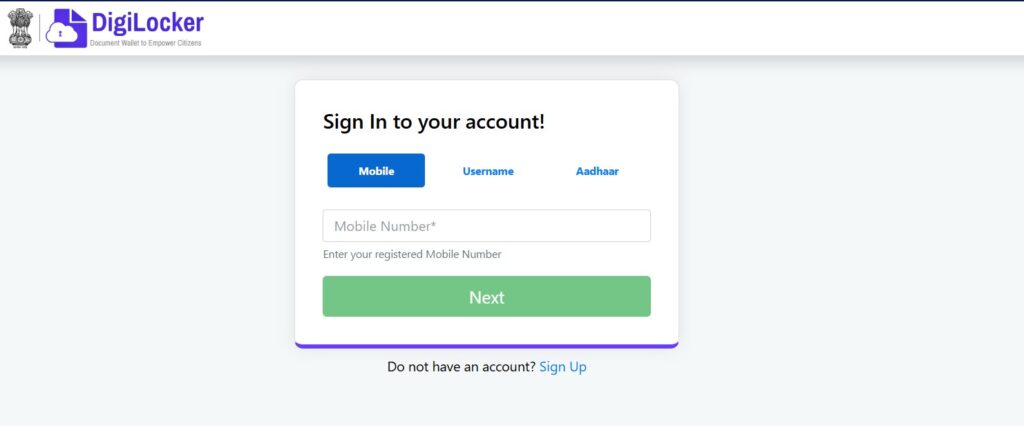
- Log in using a mobile number or Username or Aadhar number.
- Select a UIDAI as the partner and “Aadhaar” as the document type.
- Verify your identity with Aadhaar number and OTP.
- Download your Aadhaar card from the Digi Locker.
- Go to the “Issued Documents” section to view the Aadhaar card.
3. Using mAadhaar
mAadhaar is the official Aadhaar mobile app developed by UIDAI.
Features of mAadhaar
- Carry Aadhaar digitally
- Share QR code
- Offline eKYC
- Biometric lock and unlock
- Multi-profile support
Steps to Download Aadhaar in mAadhaar
- Download the mAadhaar app.
- Select the preferred language and log in using your mobile number if you have already enrolled your mobile number for the Aadhar card.
- Enter the OTP sent to your mobile number.
- Go to the “Menu” section and select “Aadhaar Services”.
- Click on “Download Aadhaar” under ‘Get Aadhar’.
- Select Regular or Masked Aadhar as per your need.
- Select the option ‘Aadhar number’, ‘VID’, or ‘Enrolment ID’ as per your need.
- Enter the required details, captcha and enter OTP and verify it
- Download your e-Aadhaar as a PDF.
Print Your Aadhaar Card After Downloading
After downloading, below are the steps to print the Aadhar card.
- Download the Aadhaar card from the UIDAI, Umang app, Digi Locker, or mAadhaar app.
- This will be in the form of a PDF.
- Open the aadhar card PDF on your device.
- Now, enter the password, which is usually the first four letters of your name in CAPITALS and followed by the birth year (YYYY).
- Click “Print” to take the print out of your Aadhaar card.
Common Mistakes to Avoid
- Using Unofficial Apps: Always use official government platforms only.
- Sharing Aadhaar Publicly: Avoid posting Aadhaar copies on social media or public websites.
- Ignoring Mobile Number Updates: If your registered mobile number is inactive, OTP verification will fail.
- Downloading from Cyber Cafes: Public computers may store your Aadhaar data.
- Saving Unprotected PDFs: Always password-protect your downloaded Aadhaar files.
- Aadhaar PDF Password Format: The Aadhaar PDF password is:
First four letters of your name in CAPITAL letters + birth year
Example:
Name: Ravi Kumar
Birth Year: 1998
Password: RAVI1998
Security Tips for Aadhaar Users
- Enable biometric lock in mAadhaar
- Use masked Aadhaar when possible
- Avoid sharing full Aadhaar unnecessarily
- Update mobile number regularly
- Delete Aadhaar copies from shared devices
Downloading Aadhaar through UMANG, DigiLocker, or mAadhaar is now one of the fastest ways to access your identity proof anywhere in India. These apps save time, improve security, and simplify document verification.
If you frequently use Aadhaar for banking, travel, or government services, keeping a digital copy on your phone is practical and secure. Use official apps only, protect your Aadhaar data, and prefer masked Aadhaar whenever full details are unnecessary.
Read more
How to Update Mobile Number in Aadhaar Card Online and Offline