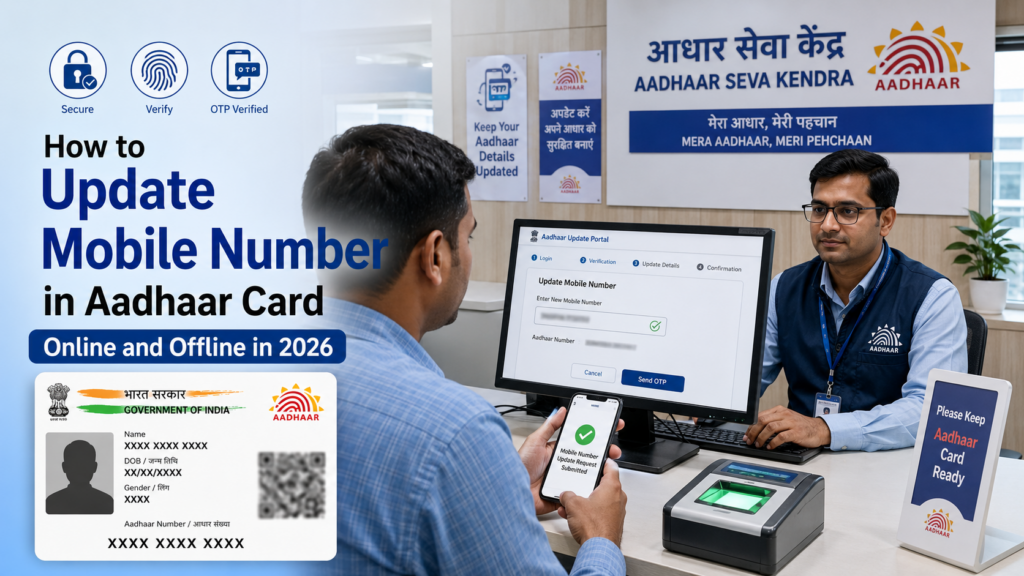
Update mobile number in Aadhar card: Your Aadhaar card is linked to almost every important service in India. You use it for banking, PAN linking, SIM card verification, income tax filing, government subsidies, and online identity verification. Your registered mobile number plays a major role in these services because most Aadhaar-related tasks require OTP authentication.
If your mobile number has changed, stopped working, or is no longer active, you must update it in your Aadhaar records immediately. Without an active mobile number linked to Aadhaar, you may face issues while accessing government schemes, downloading e-Aadhaar, or completing KYC verification.
The Unique Identification Authority of India, known as UIDAI, allows you to update your mobile number through authorized Aadhaar Enrollment or Update Centers. The process is simple, affordable, and usually takes only a few days for approval.
This guide explains how to update your mobile number in Aadhaar card step by step. You will learn online and offline methods, required documents, fees, processing time, common mistakes, and answers to frequently asked questions.
Why Your Mobile Number Must Be Updated in Aadhaar
Your Aadhaar-linked mobile number is required for many essential activities. If the number is outdated, you may lose access to several digital services.
Here are the main reasons to update your mobile number in Aadhaar:
- Receive OTP for Aadhaar authentication
- Download e-Aadhaar online
- Use mAadhaar app
- Access DigiLocker services
- Complete online KYC verification
- Link Aadhaar with bank accounts, PF account, PAN, etc.,
- File income tax returns
- Update Aadhaar details online
- Access government subsidies and schemes
- Verify identity for mobile SIM activation
For example, if you want to update your address online, UIDAI sends an OTP to your registered mobile number. Without access to that number, you cannot complete the process.
Documents Required to Update Mobile Number in Aadhaar
One advantage of updating your mobile number is that you usually do not need to submit documents for the change.
You mainly need:
- Your Aadhaar card or Aadhaar number
- Your active mobile number
- Biometric verification at the center
In some cases, the operator may ask for identity proof if there is a mismatch in records. Carry one valid ID for safety.
Accepted ID proofs include:
- PAN card
- Passport
- Voter ID
- Driving license
- Government employee ID
Updation Process
1. Offline Method (Visit Aadhaar Enrolment/Update Centre)
Steps:
- Firstly, visit the UIDAI website and find the nearest Enrolment Centre.
- Secondly, bring your original Aadhaar card and any other supporting or required documents for the updating process.
- Get the update application form from the center or download it from the UIDAI website.
- Then, fill out the 12-digit Aadhaar number and the new mobile number you want to link.
- Also, submit the form with the required document to the Aadhaar center operator.
- Finally, The biometric Verification process will be done by capturing the fingerprint or iris scan for authentication.
- The fee of Rs. 50 is applicable to make any changes in the aadhar card.
- After submission, you will receive an Acknowledgment slip with an URN number.
- Furthermore, Track the status of your aadhar using the URN number on the UIDAI website.
Usually the update will take 7 to 10 working days.
2. Online Method (Through Self-Service Update Portal – SSUP)
Through OTP method
Also, you can update your mobile number through online if your previous linked mobile number is still in use.
Steps:
- Go to the official website of UIDAI https://uidai.gov.in and click on the My Aadhaar section.
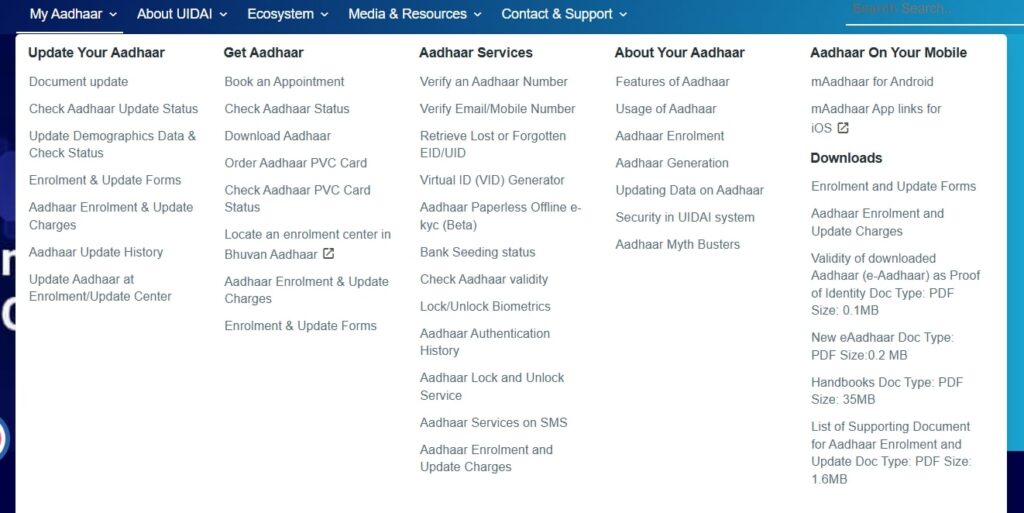
- Then, Under the “My Aadhar” tab is the Get Aadhar section. Now click on “Book appointment”.
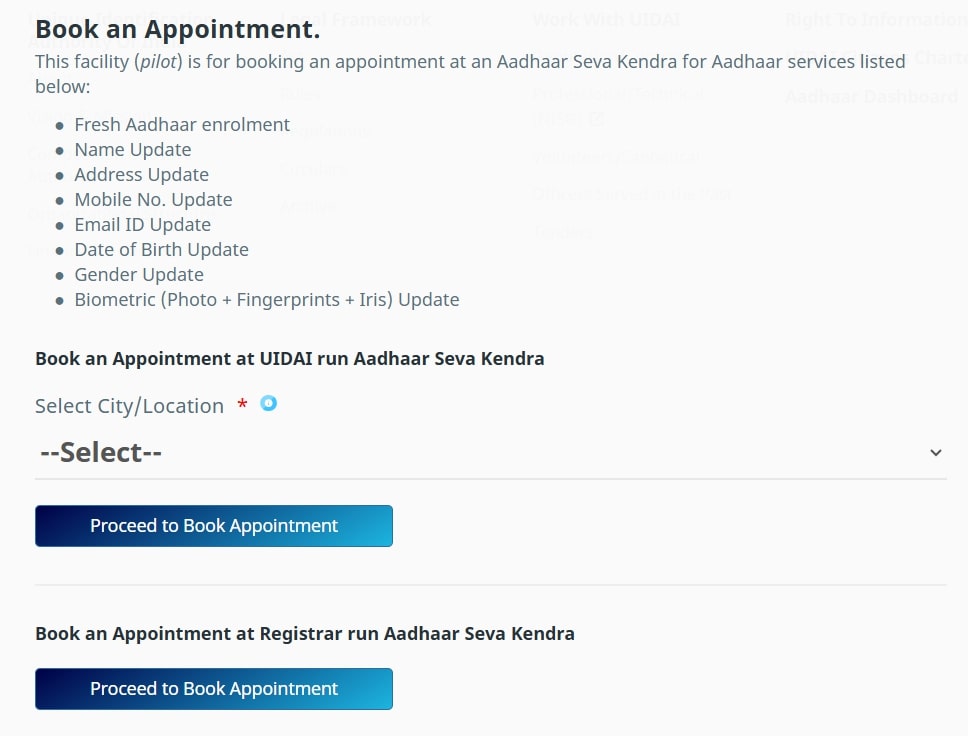
- Furthermore, Select the City/Location listed in the drop-down and click on Proceed to Book an appointment.
- Next, Enter your Mobile number and the captcha. Click on Generate OTP
- An OTP will be sent to your previously registered mobile number. Enter the OTP and submit. It will navigate to the appointment page.
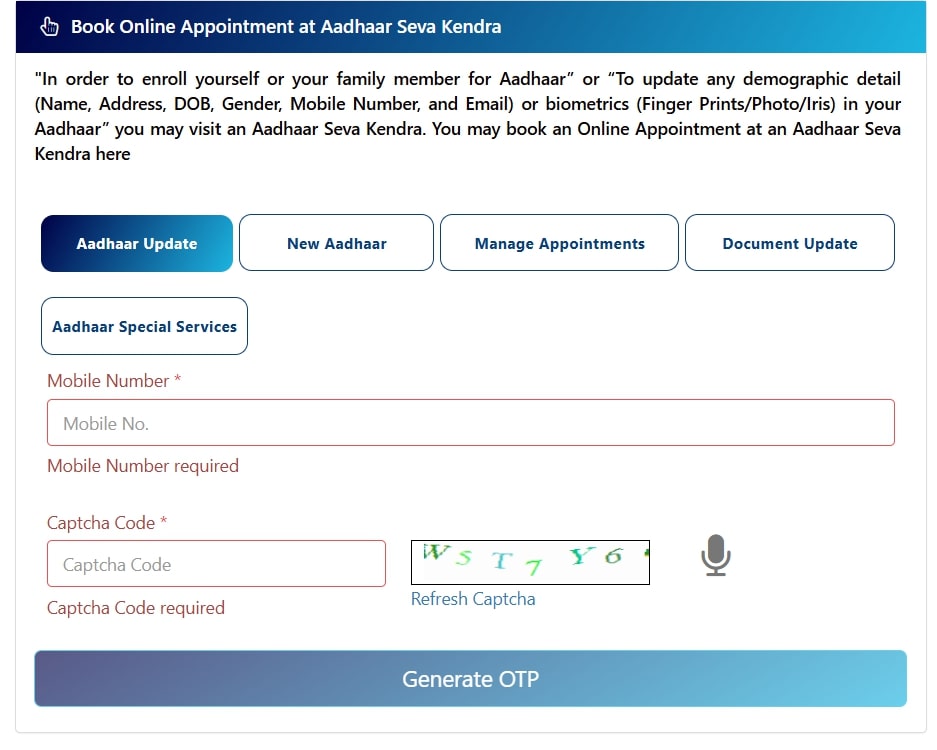
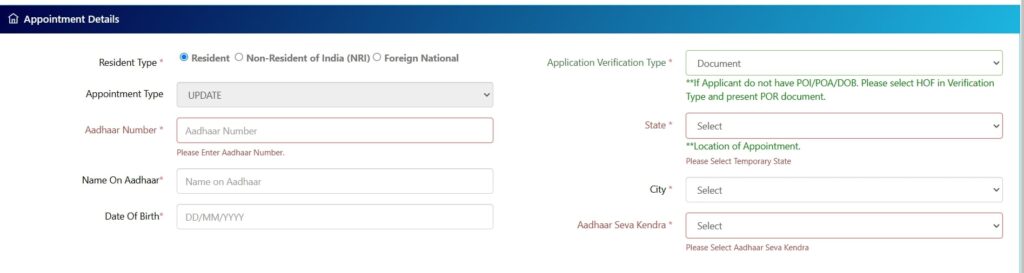
- Then, Fill out all the details under appointment details and click on “Next”.
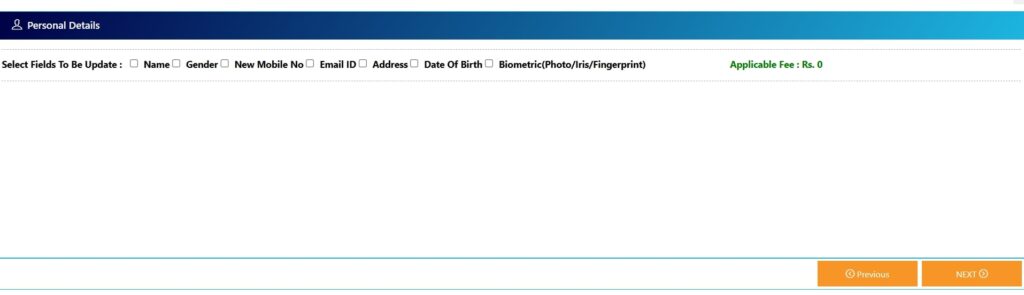
- On the next tab, select the fields you need to update. In our case, it is a mobile number. Enter the mobile number you need to update and click on Next.
- Moreover, Select the appointment date and time based on availability.
- Also, Pay the update fee of ₹50 online using a debit card, credit card, or net banking.
- You will receive an appointment receipt with the details.
- Visit the Aadhar seva Kendra on your slot time and verify your Biometrics.
- Finally, Get the Acknowledgment slip with the URN number.
Update mobile number in Aadhar card Without OTP:
If the mobile number linked to your Aadhaar card is not in use, visit the nearest E-seva or Aadhaar Enrolment Centre to update it. These are the following offline procedures.
Check Mobile number update status:
- Visit the official UIDAI Website: uidai.gov.in.
- Click on the “Check Aadhaar Update Status” option under the “Update your Aadhaar” section under the “My Aadhar” tab.
- Enter the Details such as the Aadhaar number and the Update Request Number (URN) from the receipt.
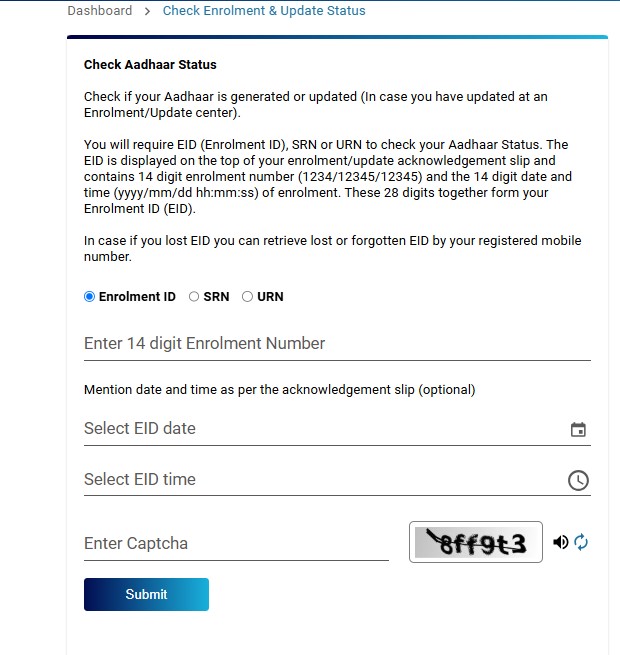
- Then, enter the captcha and click on “Submit“.
- The status of your Aadhar will be displayed either as completed, under process, or rejected.
Verify mobile number in your Aadhaar card
- Firstly, Go to the official UIDAI website: https://uidai.gov.in.
- Then, in the “My Aadhaar” tab under the “Aadhar Services” section. Click on “Verify Email/Mobile Number.”
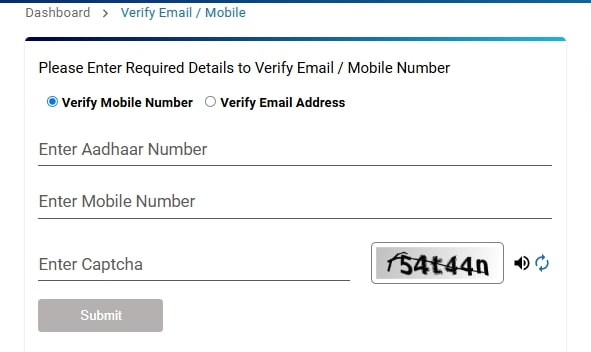
- Select verify Mobile Number and enter your Aadhaar number, mobile number, and Captcha. Click on Submit.
- You will get a confirmation message saying your mobile number is linked.
Important Points to Note:
- If your mobile number is not linked to your Aadhaar card, to update the mobile number visit the nearest Aadhar enrolment center or E-seva to make the update.
- URN number is used to track the status of your aadhar card service.
- Once the update is completed, you will receive an SMS confirmation on your new mobile number.
In general, updating the mobile number is very important process to get the essential services like OTP verification, banking, government schemes, and so one. Make sure you update the mobile number to get all the aadhar related services without any interruptions. Whether you choose online or Aadhaar Seva Kendra but keeping the mobile number updated ensures better security and have smooth digital services.
Read more
Lost Your Aadhaar? Download It Instantly with These Government Apps